
Building with Programmable Media: Designing Experiences That Evolve
This is article 2 of the series "The Infrastructure for Programmable Media."
In the first article of this series we looked at how existing media infrastructure can’t handle modern habits without breaking. Here’s a TL;DR: Microdramas get locked inside single apps, Broadway archives sit behind walls that most people can’t get to, and TV and film remixes are in legal gray zones because they treated media as static files in a world where culture spreads through clips, highlights, and fragments. This article is focused on what happens when the infrastructure is built differently and allow the media to evolve. This one is for creators, cultural institutions and curators who are looking for new formats and opportunities around interactivity.
Before we get into the solution, let’s expand on a more specific problem. Every editing tool available today does the same thing:
You layer elements, adjust them, and export a single flattened file.
Those layers exist during the editing process and disappear the moment you press publish.
From that point on the video is one locked object.
Changing it to a vertical version optimized for phones or adding commentary requires the file to be re-edited and exported.
And if a few seconds of this mix violate a copyright, the whole thing can be taken down!
The tools were designed around the assumption that a finished file is the end state of media, and that assumption is the problem this article is here to solve.
We live in a world where media gets clipped, remixed, reacted to, translated, and reassembled constantly by many different people. That part is cool, but the problem is that every time one of those variations lands on a new platform, the connection to the original breaks, and the credit and monetization disappear.
Programmable media starts from a different assumption. The layers do not flatten by default. They stay intact as independently addressable pieces that can be reconfigured after the media leaves the creator's hands, by the original creator, a collaborator, or anyone else working within the permissions that were set. It’s like Lego pieces, but for media that can be broken down, modified or combined in unlimited combinations.
Programmable Media comes from its multi-layered structure
Let’s look at what it means for the media to be programmable with a multi-layered example. It starts as a primary media element, which could be a video file, an audio file, a DJ setlist stream, a motion graphic, etc. We’ll pick a video file for this example:
This video file can be split into layers, showing the audio and video as different tracks (people who edit a lot of content can already see this in their editing apps).
From there programmable media allows:
Several audio layers be uploaded and selected, with multiple options, while staying connected to the original video layer.
New tracks to be added on top of that, things like a person’s commentary or sound effects, and those can be swapped out independently.
Captions, motion graphics and animated overlays on top as their own layer, which can be toggled (I use that term “toggle” a lot, meaning “to swap out”) without changing anything underneath.
Now keep in mind that all of these edits can come from the same person or it can come from multiple people, and we’ll get into AI agents doing this at scale later in the series. Underneath each media element, clip or compilation sits a data mix layer: source information, version history, instructions for how each element plays, and who contributed what. The creator or the viewer can define how these layers behave by default, and certain layers can be hidden entirely as easter eggs that are activated based on specific commands or scenarios.
So yes, a lot of this can be created in an editing app and exported into multiple versions to fit into conventional platforms that still feel like the year 2010. But by now you are starting to see how this multilayered, programmable format is the foundation for what media looks like next.
Here are the three scenarios that programmable media works well for:
1) VJing a vibe:
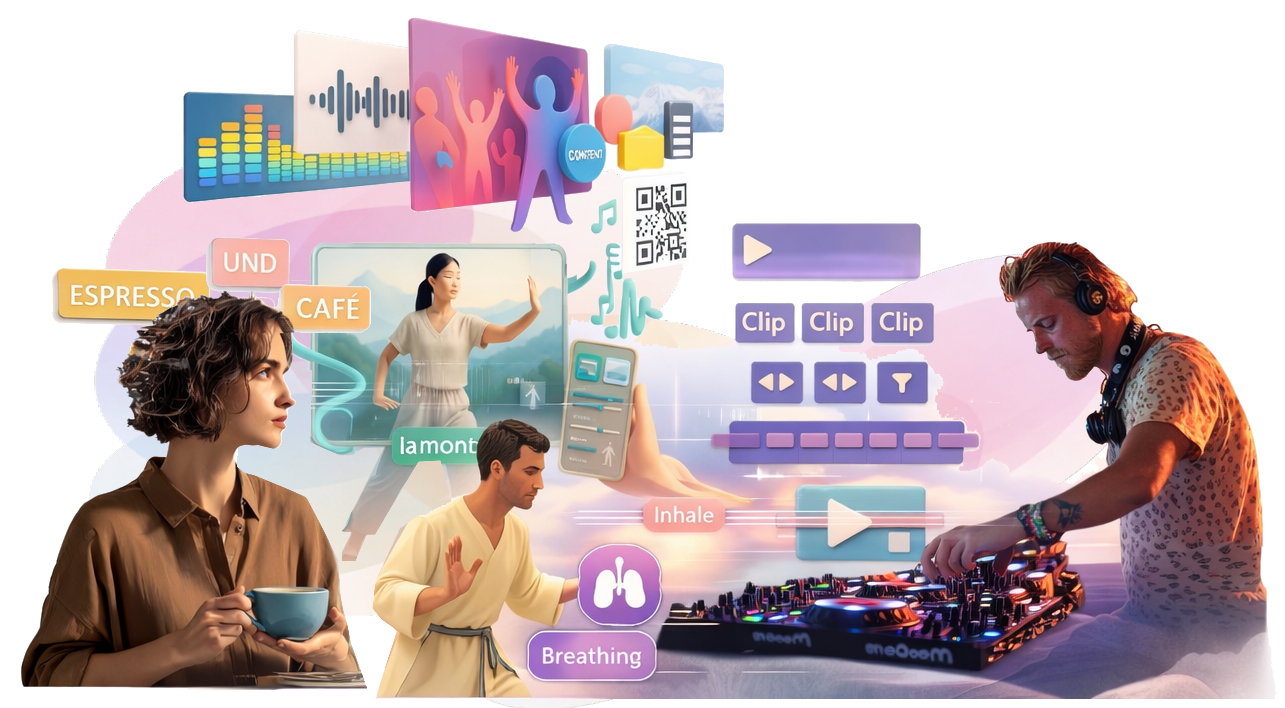
You know what a VJ is, right? It’s a DJ but for videos (they also used to call the MTV hosts VJs too, but that’s a bit different). Anyway, DJs and VJs usually set up a series of static videos manually and change them to react to the room by feel, swapping between apps or triggering effects by hand. In a programmable media ecosystem they can configure the clips to respond to inputs they defined before the night started, or they can trust the media to select the right combination on its own:
Music plays from one layer and visual loops run from another.
A graphic can be set up to show the artist information when a track changes… or it can be turned off if that looks too cluttered. · Audience members can use their phones to scan a QR code or connect to an app to see more about the content, the sources and the event in general.
When the music’s BPM increases, the visual clips shift to match: things like choreographed movement aligning to the tempo, or graphics flowing with the beat.
This is being built into a new app we’re testing called Rithm.TV, which takes inputs to adapt, select or generate the corresponding content. It’s also a fun way to cast a mood into a space to encourage excitement, relaxation, socializing or productivity through a combination of algorithmically selected content, manual controls/knobs/levers, or AI decisioning, which we will get to later in the series.
2) Video Podcasts in super long or super short mode
Everyone and their mother has a podcast nowadays, including me, and it’s estimated that 90% of Gen Z watch video podcasts regularly. The current workflow looks like this: Record a two-hour video conversation, export a video file for YouTube, export a separate audio file for podcast feeds, manually clip highlights for social, and hope someone on their team gets to the short-form cuts within a week. Each format is a separate production job and the connection between these clips is invisible to any platform unless someone adds a text link that is usually buried in the notes (which no one reads).
The programmable media version of this starts from the same source file but the branches are already built in. The 16:9 horizontal version, the vertical cut, captions on or off, audio only, chapter segments with graphics. These are all expressions of the same structure, pulling from the same source. When someone watches the one-minute clip and wants more context, they jump directly to the full episode. If someone records themselves speaking over the podcast clip, that also branches over the original file. The lineage and the payments stay intact because they were never broken.
3) Interactive Education & Fitness
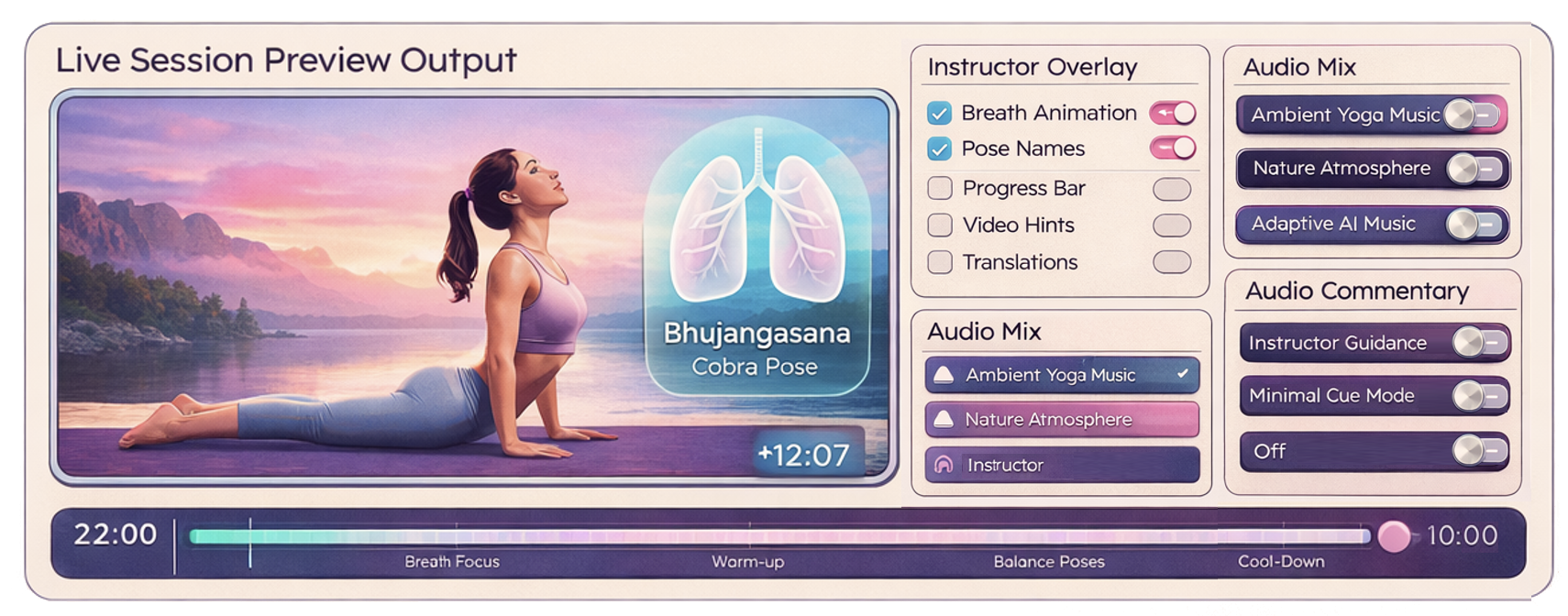
For this example, we’ll look at two scenarios that are more similar than you think: A yoga sequence and a foreign language practice drill. Both can look like generic single pieces of media, but in the programmable media world they are layered structures that can be configured differently for each person. The base layer for the yoga session is what you would expect: an instructor going through movements like a sun salutation.
Maybe you want to hear the instructor’s voice, and maybe you’re not in the mood for that, so you watch the movements and read text instead.
You can swap out the background music with your own streaming playlist if you prefer.
And if you want to access some extra features there could be visual graphics showing how the lungs open and close with each breath, or the Sanskrit symbols that can be turned on or off.
Each layer can be configured without changing everything else.
And for the language lesson let’s use the example of a scene or dialogue clip as the base layer.
The viewer toggles subtitles between their native language and the target language, or turns them off entirely and lets visuals communicate the meaning directly without forcing the brain to reach for familiar words.
A lip movement overlay can be activated for accent work.
Grammar notes and vocabulary highlights sit as optional layers for learners who want the extra context.
The same content works for a beginner with everything turned on and an advanced learner with everything stripped back and isn’t in the mood to slow down. That’s because this infrastructure accommodates for both users without the content creator having to rebuild anything.
The content evolves and accumulates rather than being replaced every time someone wants a slightly different version of it.
Your old content is already source material, just add layers
None of this requires creators to start over or abandon what they have already built. For example:
A travel YouTuber with years of B-roll
A museum with digitized archives
A gallery with recorded exhibition
These all become interesting source material for new edits that link back to the original, with interactive layers contributed by other creators, educators, or brands working within whatever permissions the original creator set. The content gains depth without being replaced, everyone who adds something earns from what they contributed, and the potential to fork and extend is endless.
What comes next: fan fiction and machete cuts Now that the concepts behind programmable media are clearer, the next article applies them to film archives, streaming catalogs, and premium content. We’re talking about machete cuts, fanfics, and supercuts that can introduce a whole generation to a film they never would have found. Stay tuned.
This is article 2 of the series "The Infrastructure for Programmable Media." Connect us to investors building this New Vision of Television®